


Guardian
3.5671.00 Reviews
App Specs
- Version
- 26.6
- Updated On
- License
- Free
- Downloads
- 500,000+
- Developer
- The Guardian Life Insurance Company of America
- Categories
- Medical
- Platform
- Android
Screenshots
 Analysis by AppCompare
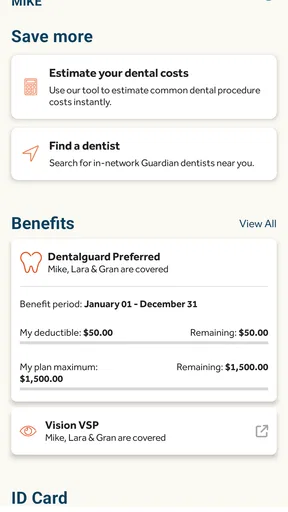
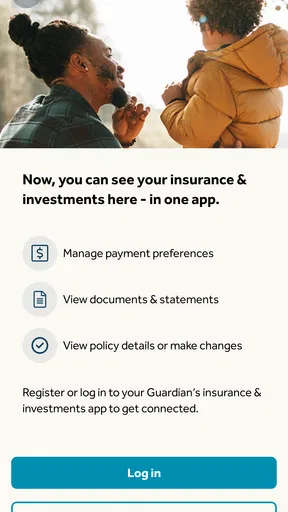
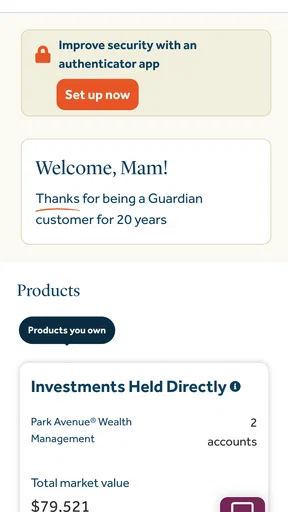
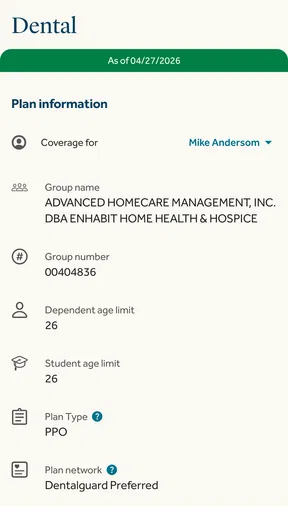
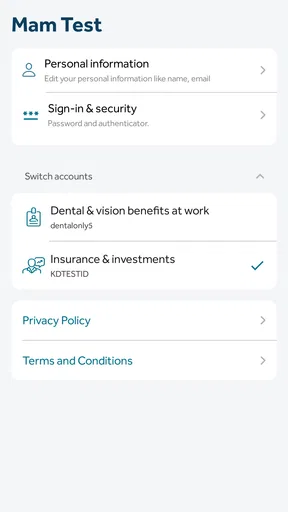
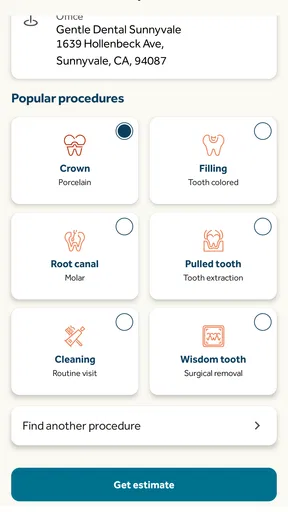
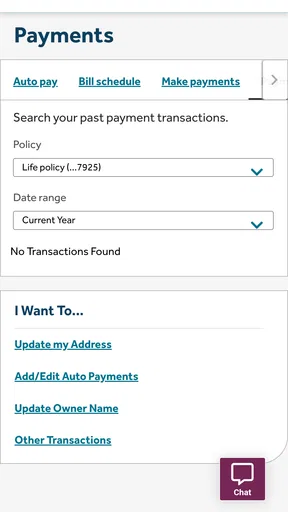
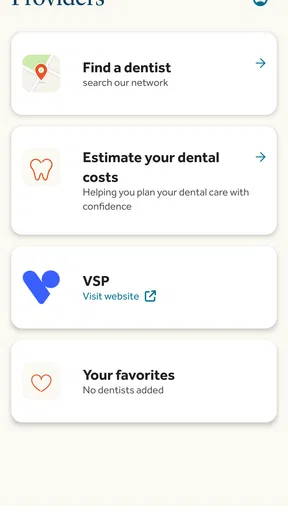
I approach Guardian less as an all-purpose personal assistant and more as a place to check in on practical matters tied to insurance, wealth, and benefits. That distinction matters: the app is published by The Guardian Life Insurance Company of America, so its value is most likely to be clear to people who already have a reason to manage something through Guardian. It is a free medical-category app, but free installation alone does not make it useful to everyone. I’d decide based on whether its services match the accounts or benefits I need to handle.
What free access does—and does not—tell you
Guardian costs nothing to download, which makes trying it a low-cost decision in the narrow sense: there is no purchase price for the app itself. I would not read that as a promise that every insurance or financial service connected to it is free. The app’s price and the terms of a policy, benefit, or other product are separate questions, so I’d review those terms before making a financial decision. If you are only looking for a general health reference or a budgeting tool, a free download may still be the wrong fit.
The app has been available since July 18, 2012, and its current version is 26.3. That history suggests an established product rather than a newly launched experiment, but it does not tell me how well a particular screen will fit my needs today. It has an average rating of 3.7 from around 1,800 ratings, alongside 604 written reviews. I take that as a reason to set realistic expectations: there are users who find it worthwhile, but the rating is not a guarantee of a smooth experience on every device or for every account.
Where the practical value comes from
The strongest reason to keep Guardian on my phone is convenience when I already use services associated with its publisher. Having a dedicated app can make it easier to begin with one familiar place instead of searching through old emails or trying to remember which web page handled a particular task. That is a modest but real kind of value: less hunting around when I need to check a benefit or deal with an insurance-related matter.
I would treat it as a companion to the relevant service, not as a substitute for understanding it. If I were comparing coverage, making a choice about a financial product, or trying to resolve a question with consequences, I would read the underlying documents and contact the appropriate support channel when needed. An app can help me reach information; it cannot make a complex decision simple just by putting it on a phone screen.
How it fits into an ordinary routine
Picture a day when I have a few minutes between errands and realize I need to look into a benefit or an insurance matter. If Guardian is already set up for the service I use, opening it may be more practical than waiting until I am back at a computer. I’d use that moment to check what is available, note anything I need to follow up on, and avoid treating a quick glance as a final answer if the issue depends on detailed terms.
A useful habit is to keep a short list of questions before opening an insurance or benefits app: what am I trying to confirm, what document or account does it concern, and what would count as a complete answer? That small step helps me avoid wandering between menus or assuming a summary covers every exception. For anything I may need to discuss later, I would also keep track of the relevant dates or documents in a place I can find again rather than relying on memory alone.
Worth Reading Before You Choose

EA SPORTS FC Mobile 26 Is a Bigger Football Game, but It Takes Time

Flipboard Shows What News Apps Must Do Beyond the Feed

Switching to Android Auto Means Rethinking Your Driving Routine

Google Calendar Makes a Crowded Week Easier to Manage

Ludo King Makes the Most of the Minutes Between Plans

Baby Panda World Brings Quick Play to Modern Phones, but Its Game Library Feels Busy
Compared with the usual alternatives
For someone who needs to manage Guardian-related services, the natural alternatives are usually a browser, saved paperwork, or contacting the company through another available channel. A phone app can be more convenient for repeat visits, while a browser may feel better for reading long documents or comparing several details side by side. Paper records still have a role when I need a durable reference, and direct support is the better route when a question needs a person’s explanation.
For general medical information, wellness reminders, or everyday task planning, I would choose a dedicated app built around that specific job instead. Guardian’s medical category does not make it a replacement for a clinician, a general health library, or a personal organizer. Its value is narrower and more personal: it depends on whether the Guardian services I use are relevant to what I want to do.
Who is likely to get the most from it
I’d consider it most useful if I already have an insurance, wealth, or benefits relationship connected with Guardian and want a convenient mobile route to manage related needs. It may also suit someone who prefers handling routine account matters on a phone rather than keeping every task for a desktop session. With more than 100,000 installs, it has found an audience, though that figure alone does not say whether its features suit any particular user.
I would skip it if I have no connection to Guardian and no reason to start one, or if what I really want is a broad medical or productivity tool. In that case, downloading it simply because it is free could add an icon without solving a problem. I would also use another route if I need extended document review, a detailed comparison, or personal guidance; those tasks can demand more context than a quick mobile interaction provides.
Small decisions that can prevent frustration
Before relying on the app for an important task, I’d check that I am using the right account and that the service I need is actually the one I intend to manage. Insurance and benefits language can be easy to misread when I am rushing, so I would slow down around dates, eligibility, and any wording that affects a decision. If something is unclear, I would write down the exact point of confusion and seek clarification rather than guessing based on a short screen summary.
I would also think about how I want to handle sensitive information on a shared or frequently borrowed phone. That is a general practical consideration for any app used for personal insurance or financial matters: use a device and account arrangement you are comfortable with, and avoid leaving a screen open where another person can casually see it. I do not treat an app’s presence on a phone as a replacement for careful account habits.
My verdict before installing
Guardian is free, rated for Everyone, and requires Android 12 or later. Those details make the basic download decision straightforward for people with a compatible device, but they do not settle whether the app is worth keeping. I would install it when I have a clear Guardian-related task to handle, then judge it by whether it helps me reach that task without unnecessary effort.
For existing users, that focused role may be enough to justify having it available. For people who want an all-purpose medical, finance, or organization app, I would look elsewhere and choose a tool designed around that need. My recommendation is conditional rather than universal: use Guardian when it connects to services you already need, and do not mistake a free app for a reason to buy or enroll in anything.
If you’re like me, always juggling a million things and trying to keep everything in check, then you probably need a little help managing your life. Enter Guardian. It’s like having a personal assistant in your pocket, ready to help you tackle whatever comes your way. From security features to productivity boosters, this app has a bit of everything. So, let’s dive in and see what makes Guardian worth your time.
What is Guardian All About?
At its core, Guardian is designed to be your go-to app for both security and organization. Imagine having a digital Swiss Army knife. This app is about keeping your data safe, managing tasks, and even helping you stay on top of personal goals. It’s like combining a security guard and a life coach into one handy package.
User-Friendly Interface
The first thing you’ll notice when you open Guardian is its sleek and intuitive interface. It’s designed to be user-friendly, so even if you’re not a tech wizard, you can navigate it with ease. The layout is clean, and everything is where you’d expect it to be. It’s like the app knows what you need before you even ask.
Security Features
Let’s talk about the security side of things. Guardian offers a robust suite of features designed to keep your data locked up tight. Using state-of-the-art encryption, it ensures that your personal information stays private. You can set up alerts for suspicious activity, and the app even provides tips on how to enhance your device’s security. It’s like having a personal bodyguard for your smartphone.
Task Management
On the productivity front, Guardian doesn’t disappoint. It includes an integrated task manager that helps you keep track of your to-do list. You can set reminders, deadlines, and even collaborate with others if you’re working on a group project. It’s perfect for anyone who needs a little help staying organized. I’ve found it incredibly useful for keeping my work and personal life in balance.
Goal Tracking
One of the standout features of Guardian is its goal tracking capabilities. You can set personal or professional goals and track your progress over time. Whether you’re trying to read more books, exercise regularly, or hit career milestones, this feature keeps you motivated. There’s something incredibly satisfying about seeing your progress charted out in front of you.
Customization Options
If you’re into personalization, Guardian has got you covered. You can customize the app to suit your style and needs. Change the theme, adjust notifications, and tailor the settings to make the app truly yours. It’s all about making sure the app works for you, not the other way around.
In a world where our lives are increasingly digital, having an app like Guardian is a game-changer. It combines security and productivity in a way that’s both efficient and user-friendly. Whether you’re looking to keep your data safe or just need help staying organized, Guardian is like a trusty sidekick always ready to lend a hand.
So, if you’re searching for an app that can do it all, give Guardian a try. It might just become your new best friend in the digital world.
Pros
- User-friendly interface for easy navigation.
- Comprehensive news coverage worldwide.
- Customizable notifications for specific topics.
- Offline reading mode available.
- High-quality multimedia content.
Cons
- Requires a stable internet connection.
- In-app ads can be intrusive.
- Limited free content access.
- Occasional app crashes reported.
- Subscription needed for premium features.
FAQs for Guardian
What is the main purpose of the Guardian app?
The Guardian app is designed to provide users with reliable news and updates from around the world. It offers a user-friendly interface to access articles, opinion pieces, and multimedia content. The app aims to keep users informed with accurate and in-depth reporting while allowing them to customize their news feed based on personal interests.
Is the Guardian app free to use?
Yes, the Guardian app is free to download and use. However, it offers in-app purchases and subscriptions for users who want an ad-free experience or access to premium content. Subscriptions also support the Guardian’s independent journalism, ensuring continued quality reporting without a paywall.
Can I customize my news feed in the Guardian app?
Absolutely. The Guardian app allows users to personalize their news feed by selecting topics and sections that interest them the most. This feature helps users focus on specific areas such as politics, sports, or culture, ensuring they receive the most relevant updates and articles tailored to their preferences.
Does the Guardian app work offline?
Yes, the Guardian app offers offline reading capabilities. Users can save articles to read later when they don’t have an internet connection. This feature is particularly useful for commuters or those in areas with limited connectivity, ensuring continuous access to important news and stories.
How does the Guardian app ensure the privacy of its users?
The Guardian app is committed to user privacy, implementing robust security measures to protect personal data. It adheres to strict privacy policies and offers users control over their data sharing preferences. Regular updates and transparency reports are provided to maintain trust and ensure users feel secure while using the app.


